Elsyslabs logo Elsyslabs

AI assistance to perform business tasks

An AI-powered platform that automates everyday business tasks from answering calls and emails to scheduling meetings, generating summaries, and handling other repetitive workflows.

Role
Product Designer
Product
Web App, Mobile App, Website
Context
This project focused on designing an AI-powered business automation platform that streamlines routine tasks, such as email replies, call handling, cold outreach, and CRM updates. It also includes mobile workflows like scanning business cards and syncing contacts automatically. The decisions I'm about to walk through show how UX choices supported that goal.
Sign-Up Friction Was Killing User Onboarding
Duration
2 weeks
Validation
Internal design reviews, user interviews, engineering feedback

60% reduction in sign-up time.

Moved setup into the product experience, allowing users to learn and configure AI workflows simultaneously while eliminating unnecessary upfront data entry.

-30% User Confusion Events.

Instances where users asked questions, hesitated, or failed tasks during usability testing dropped significantly.

Problem

During moderated onboarding sessions, we observed strong hesitation right after people hit sign up. The multi-step flow, especially picking a bot and entering business details up front, created confusion. We ran usability tests to validate the pattern and pin down root causes.

After several iterations failed to improve conversion, the onboarding strategy was fundamentally rethought. Instead of leading with bots and technical setup, the experience was redesigned around the user's primary goal—automating business card follow-ups.

The website narrative and onboarding flow shifted from a bot-centric approach to a feature-led experience. Bot selection and initial business-detail forms were removed entirely. Users now enter the product directly and are guided through the setup of the relevant AI workflow within the actual product experience. This combines product walkthroughs with contextual bot configuration, allowing users to learn and configure simultaneously.
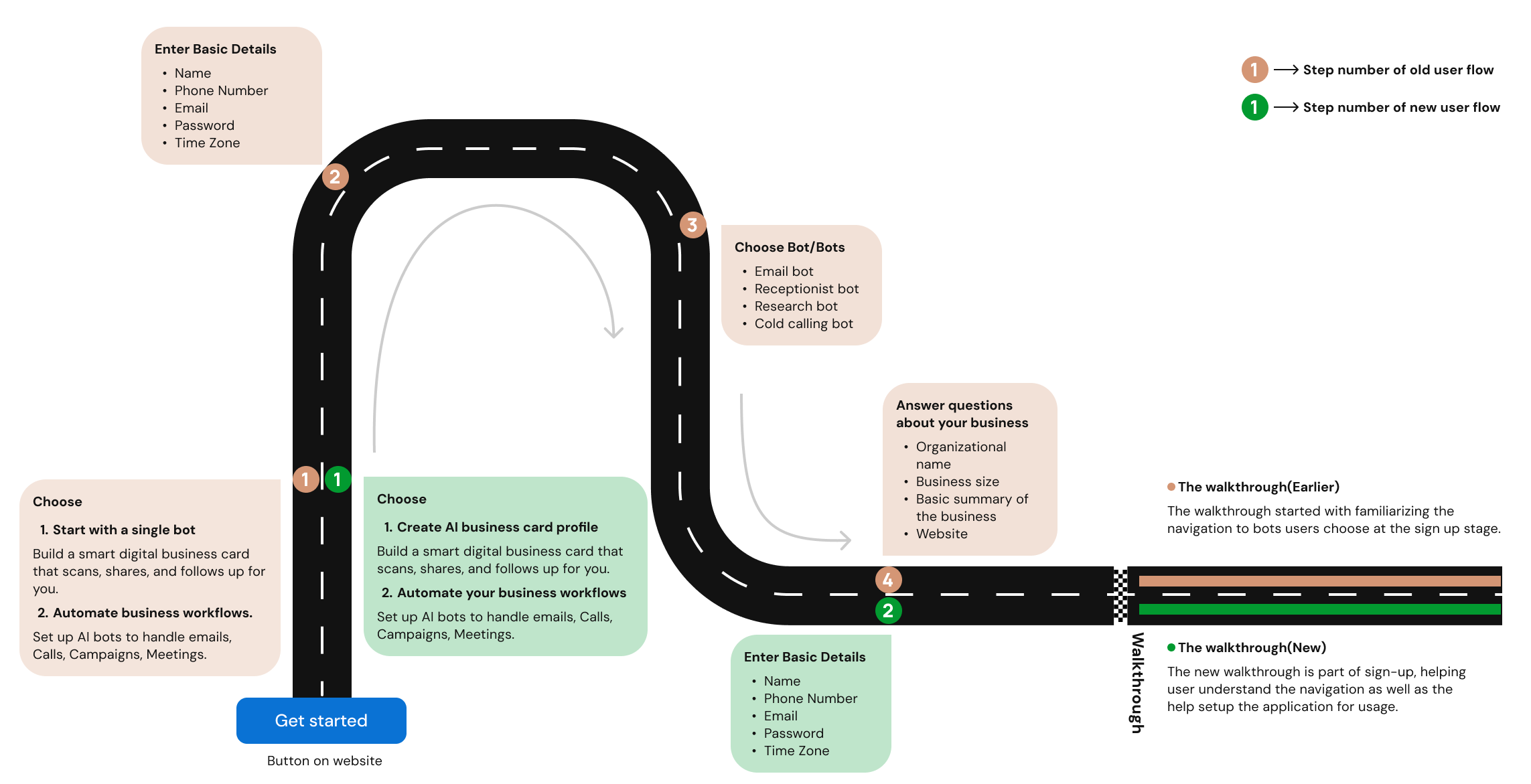
Sign-Up Friction flow diagram 1 1 2 3 4 2 Enter Basic Details Name Phone Number Email Password Time Zone Choose Bot/Bots Email bot Receptionist bot Research bot Cold calling bot Answer questions about your business Name Phone Number Email Password Time Zone Choose 1. Start with a single bot Build a smart digital business card that scans, shares, and follows up for you. 2. Automate workflows. Set up AI bots for emails, Calls, Campaigns, Meetings. Choose 1. Create AI biz card profile Build a smart digital business card that scans, shares, and follows up for you. 2. Automate workflows. Set up AI bots for emails, Calls, Campaigns, Meetings. Get started 1 Step number of old user flow 1 Step number of new user flow The walkthrough (Earlier) The walkthrough started with familiarizing the navigation to bots chosen at sign-up. The walkthrough (New) The new walkthrough is part of sign-up, helping users understand and setup the app. -->

The result was a more intuitive onboarding journey that reduced sign-up completion time by 60%, decreased user confusion events by 30%, and significantly increased successful bot setup completion by eliminating the hesitation and uncertainty caused by early technical decisions.

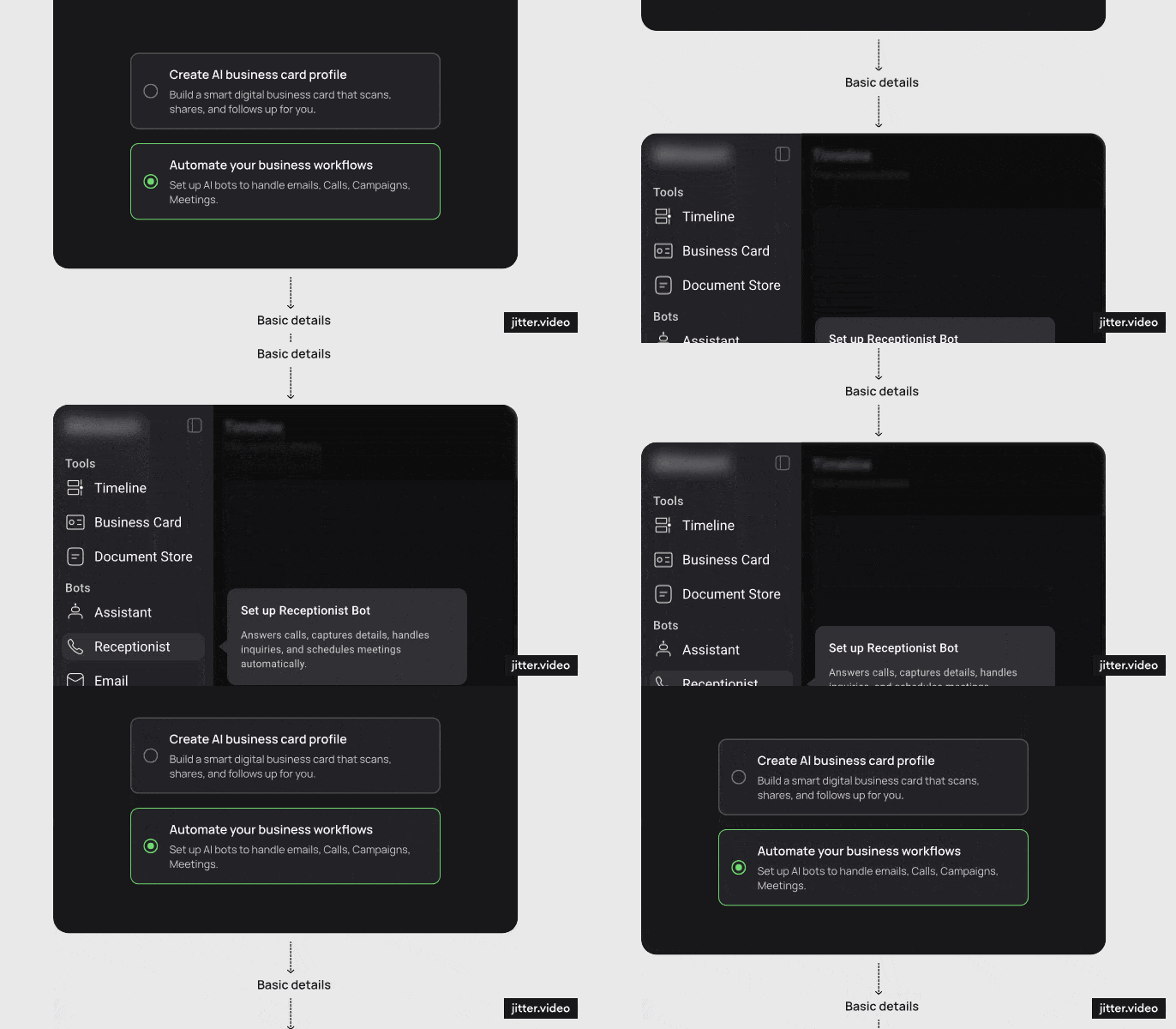
Choose bots old flow OLD

The previous onboarding flow required four steps, including bot selection and Assistant configuration with business details. The redesigned experience reduced this to just two steps, allowing users to enter the product faster and complete Assistant setup through a guided walkthrough.

Sign-up receptionist walkthrough NEW

Users who selected "Automate Your Business Workflows" provided only essential details during sign-up. The onboarding walkthrough then introduced automation tools like the AI Receptionist and Email Assistant, allowing users to set up relevant bots directly within the product experience.

In the redesigned onboarding flow, users entered the application in just two steps. Product setup and feature discovery were moved into contextual walkthroughs, allowing users to learn and configure the product while experiencing it.

AI-Ready Design System
Duration
Add duration
Validation
Add validation

~4× faster development cycle.

To support long-term scalability, I built a comprehensive AI-ready design system consisting of typography and colour variables, reusable colour palettes, and over 240+ reusable components. The system established a consistent visual and interaction language across the product while reducing design duplication and maintenance overhead. To further streamline the workflow, the design system was integrated Figma MCP with claude and supported by structured annotations. This enabled faster design iteration, improved collaboration between design and development teams, and accelerated the translation of designs into production-ready interfaces. By creating a shared source of truth, the team was able to move from concept to implementation with significantly greater speed and consistency.
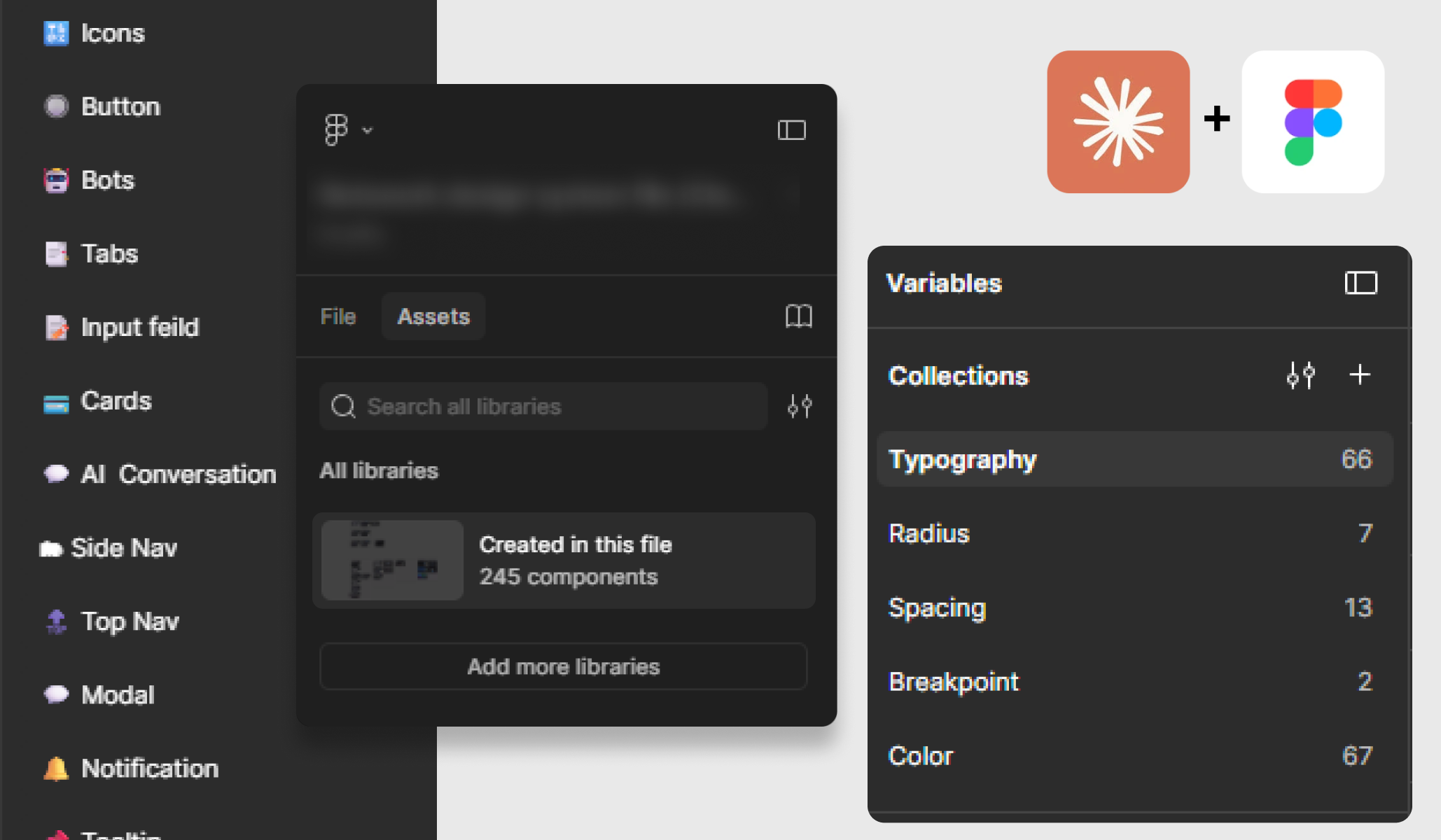
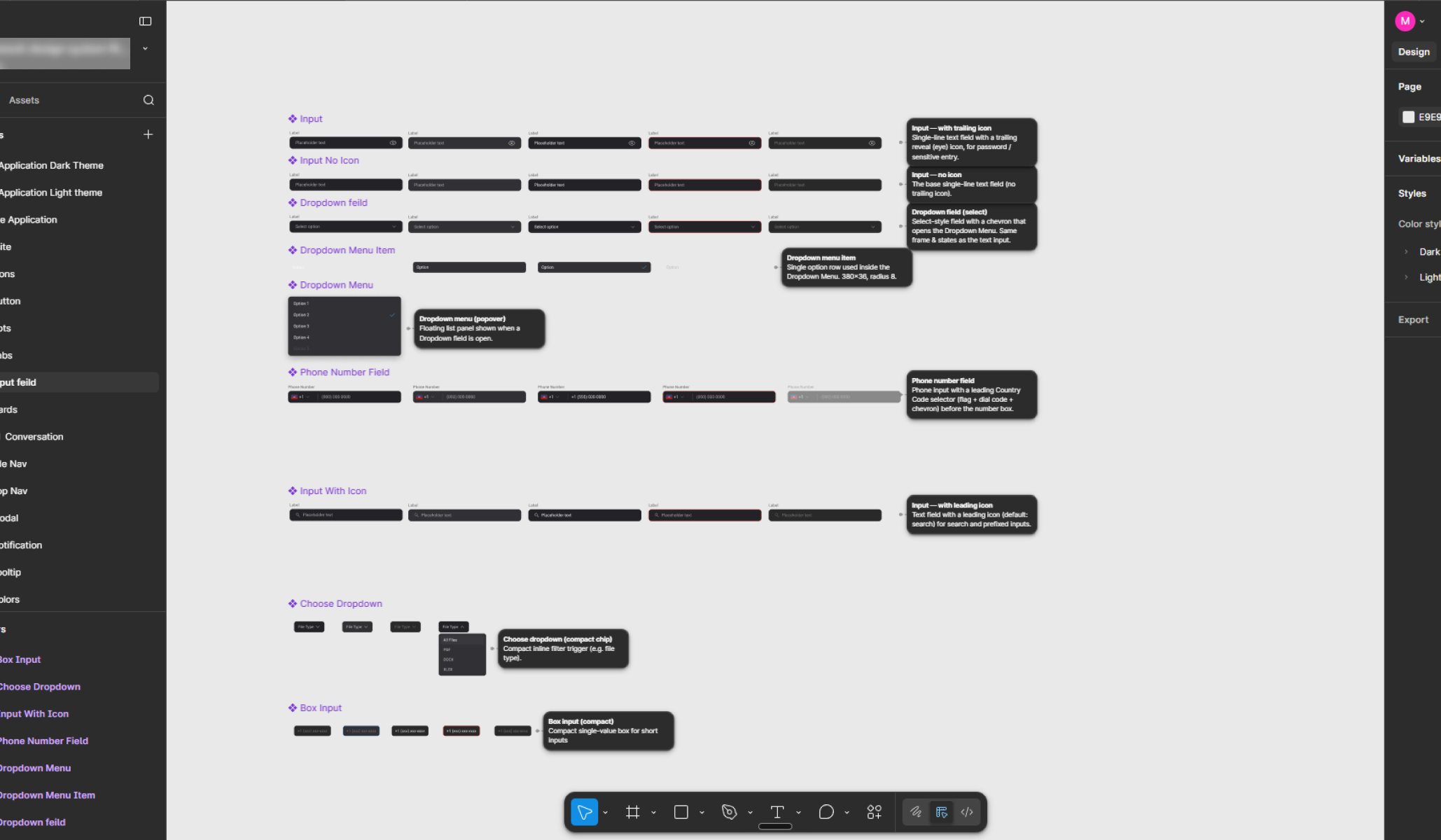
AI-Ready Design System

While a component library already existed, it wasn't fully documented or optimized for scale. During the redesign, I organized and expanded it into a structured design system with clear annotations, descriptions, and usage guidelines. These annotations also helped AI tools like Claude better understand the purpose and behavior of components when connected through Figma MCP. This made collaboration between design and engineering smoother and helped accelerate the overall product development process.

Created responsive typography variables in Figma that automatically scale based on screen width, ensuring consistent readability across different device sizes.

Figma annotations

Fully annotated 240+ components

Increase Web to Mobile conversion
Not Actual UI Not Official Ad

While the platform's core configuration and account management experience lived on the web, several high-frequency workflows—such as business card scanning, offline meeting recording, and on-the-go contact capture—were available exclusively through the mobile app. The mobile experience also played a critical role in increasing daily active usage by making the product accessible during real-world networking and sales interactions.To bridge this gap, multiple contextual entry points were introduced across the web experience. Rather than relying on a single app download prompt, users were encouraged to install the mobile app at moments when mobile functionality provided clear value—for example, while viewing business card workflows, meeting-related features, or contact management tasks.
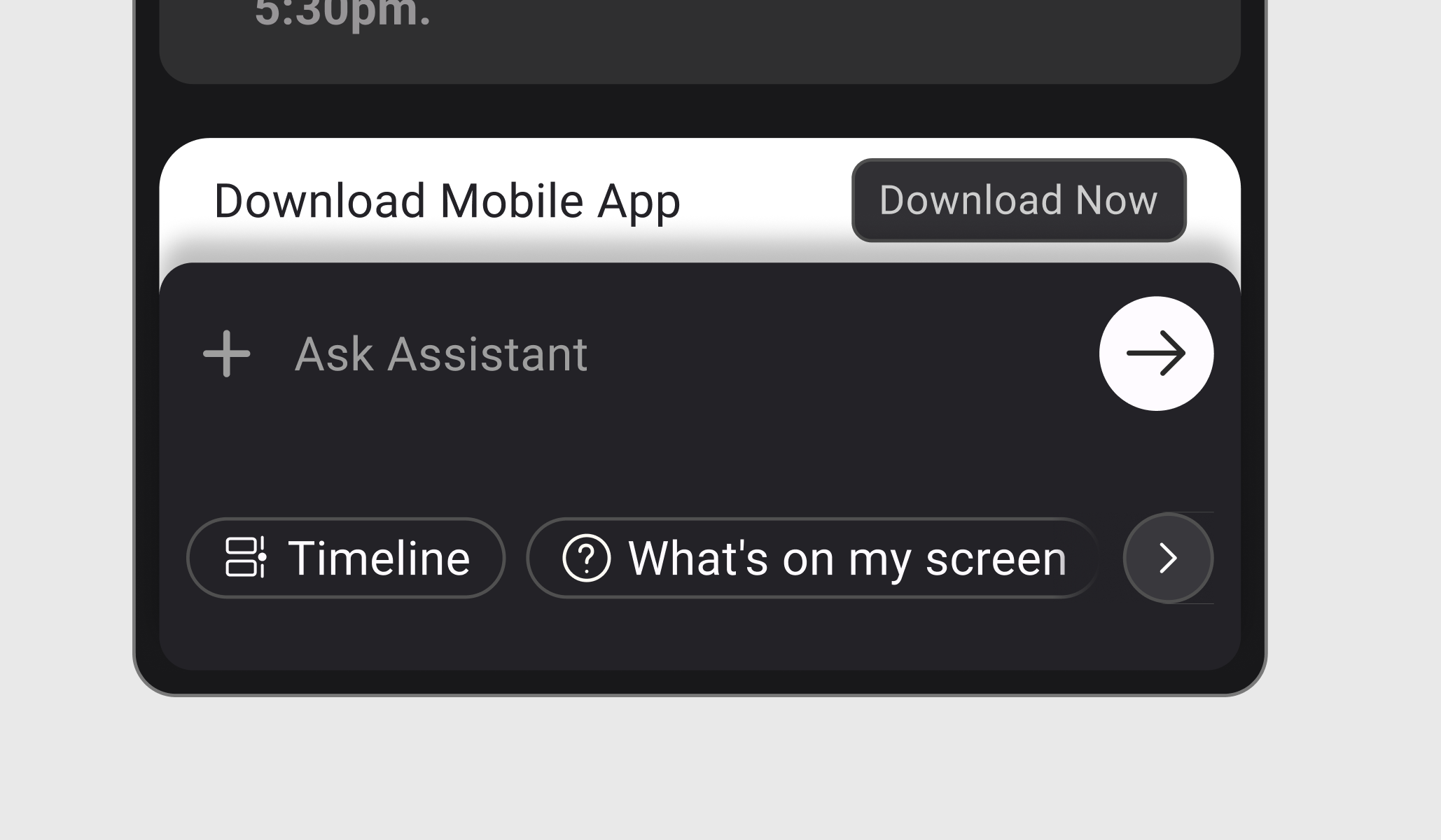
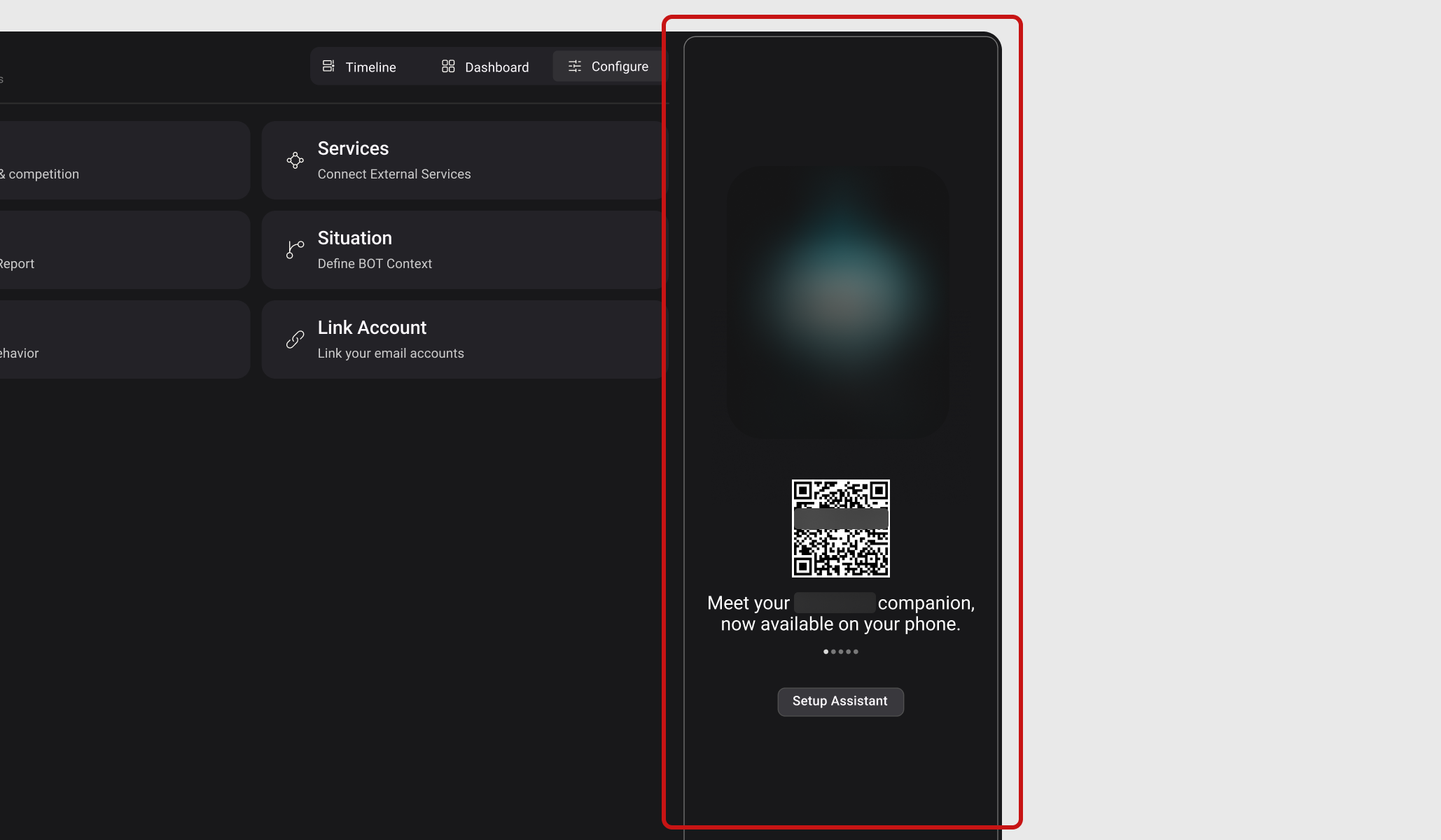
Side chat interface
Assistant setup

In the original onboarding flow, users had to enter business details during sign-up to configure the AI Assistant, creating additional friction before they could access the product. Since the Assistant is a core part of both the web and mobile experience, a QR code entry point was also introduced to help users quickly download the mobile app and continue their workflow.

Next Project
Carebric project cover
Carebric

A mobile-first patient management app for dental clinics — streamlining patient onboarding, record-keeping, and appointment scheduling.

View Project
Enter password to continue
If you don't have the password yet, DM
LinkedIn Profile